A proper DSP workspace! Introducing the new drawer. A new tabbed panel sitting right under the now-playing bar, so it feels like part of the listening flow instead of a separate settings maze spanning 4 panels.
Visual chain editing, finally
The new DSP Graph Drawer gives me one central place to build and reconfigure chains, with tabs for DSP Chain, AsymEQ and AutoEQ.
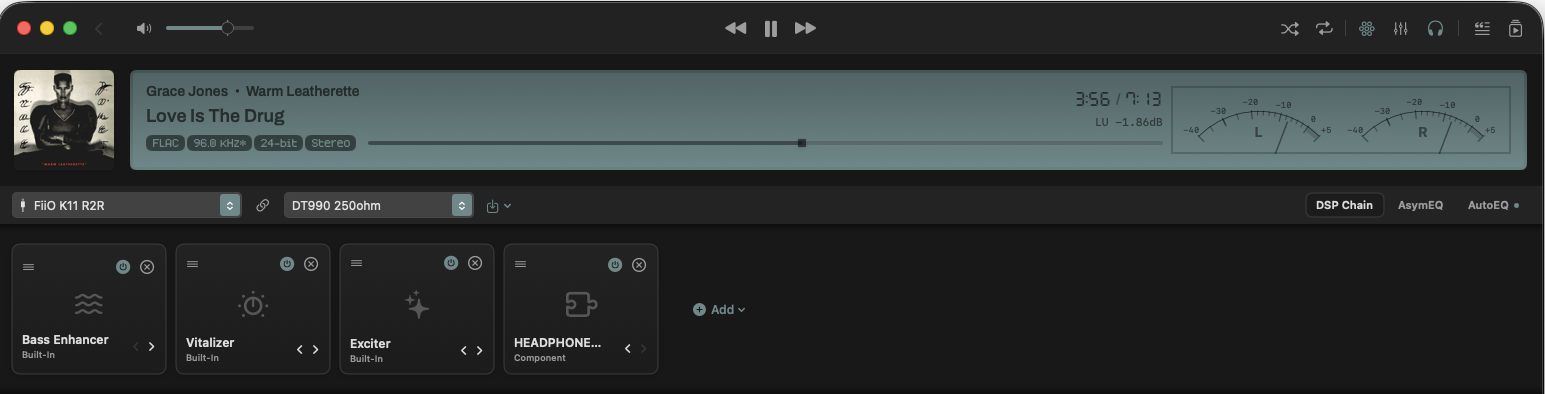
The DSP Chain is now editable as a real graph-like workspace. I can add modules, remove them, disable them, re-enable them, and reorder the whole chain without digging through hidden dialogs. That includes third-party AU components as well, which is exactly what I want for a serious audiophile setup.
One important detail: changes are not pushed immediately. Structure edits only become audible when I hit Apply. If I change my mind, Revert throws everything away cleanly. That way you can plan multiple edits and commit the chain update when you think its right, making the UI feel lees fragile and sensitive.
Presets that follow the hardware
The Drawer also adds preset management right where I need it. There is preset selection, Save, Import, and Export, plus a Dirty State indicator as soon as I touch any parameter so you won't loose any changes by accident. I always know when the current chain has drifted away from the saved version.
The part I am most excited about is hardware binding. DSP Chain presets can now be tied to a specific device, so they load automatically when that hardware is selected or connected. That includes cases like Bluetooth, where the playback device can change underneath me and the correct tuning still comes back without manual cleanup.
AutoEQ and AU settings are preserved too
These presets do not just remember the visible chain layout and all Zenteek DSP parameters. AutoEQ corrections and external AU settings are stored and recalled as well. That means I can build a repeatable tuning profile for a specific DAC and headphone pairing, save it, and share it with someone else who uses the same setup.
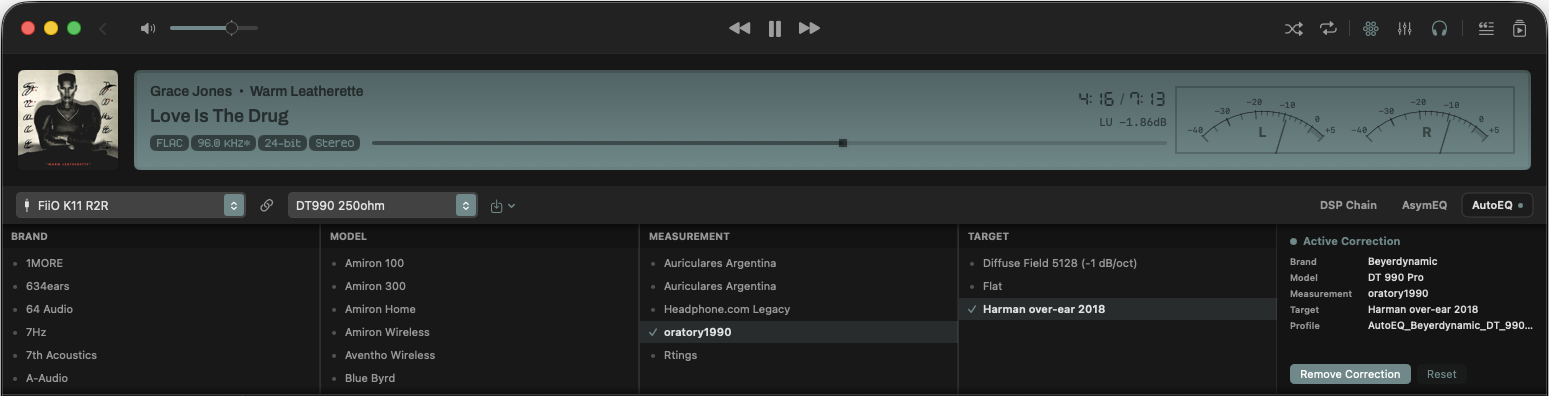
This update makes DSP feel like a real part of library playback, not an afterthought. If I want to tune a headphone chain, compare plugin orders, or keep device-specific presets around for different listening rigs, I can now do that with much less friction and a lot more confidence.