A clearer DSP workflow
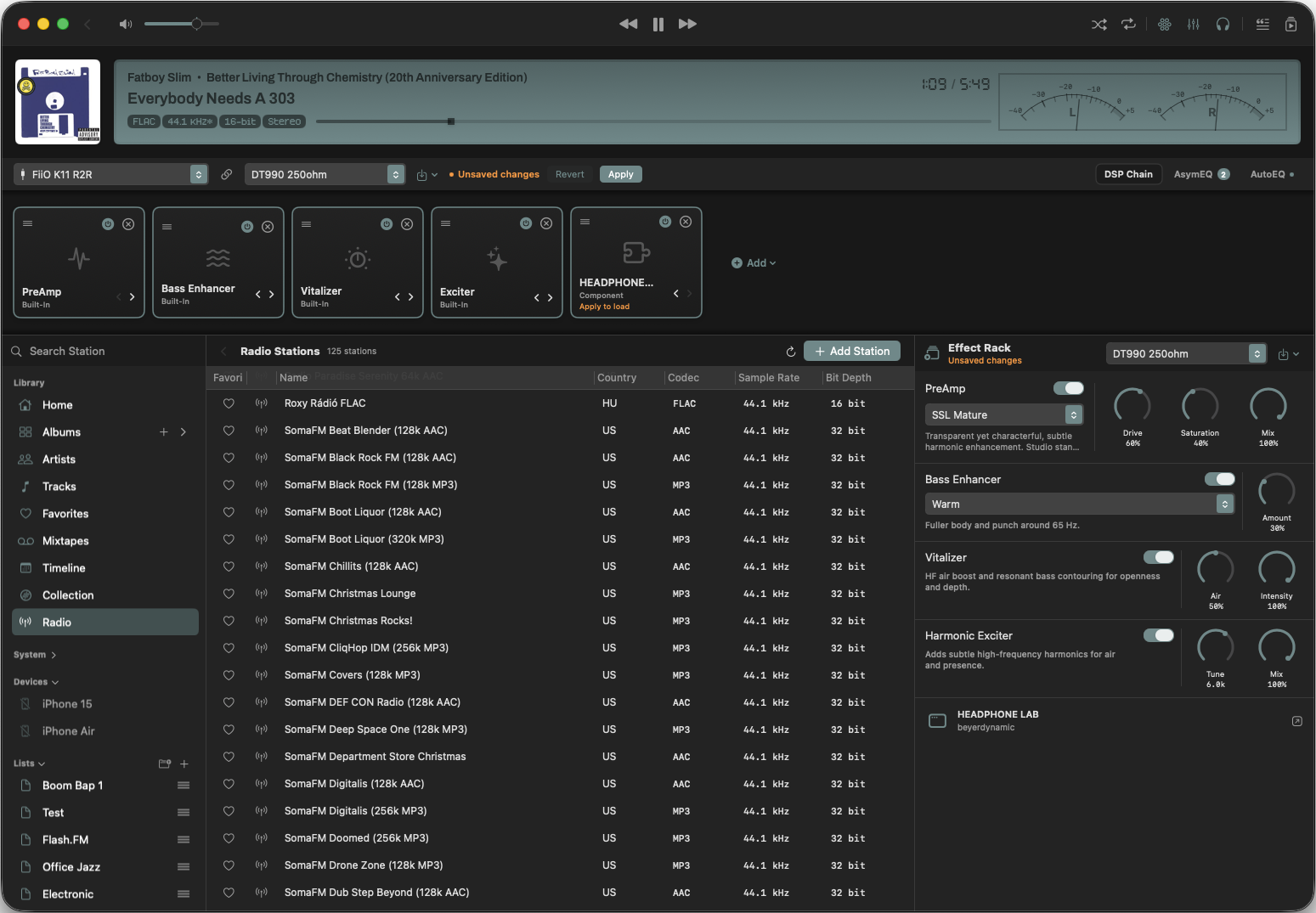
I rebuilt the DSP controls into a new sidepanel called Effect Rack. Instead of scattered popup panels from the toolbar, everything now lives in one unified interface. The order mirrors the DSP chain, just vertically, so the signal flow is easier to read at a glance.
Why this feels better
The big win here is context. The panel now stays open while you move around the app, which removes a lot of visual churn and makes the whole setup feel calmer. You do not have to reopen panels just to remember what is active or in which order things are applied. The effect chain is simply there, ready to inspect.
Same modules, better access
The individual DSP module layouts have not changed. I only changed where you find them. Built-in Zenteek modules still keep their quick on and off toggle, so light adjustments stay fast. For larger edits or when you want to add more modules, the DSP Drawer is still the place to go.
AU components are part of this view too. Support for loading AU Components has existed since v1.5.2, and it is now a normal part of the new DSP preset architecture. That means external processing sits alongside the built-in tools instead of feeling like a separate system glued on top.
A nicer side effect
This setup also makes it possible to load the same module more than once. So if you want two different equalizers in the same chain, you can do that now without any awkward workaround. That is exactly the kind of flexibility I want from a serious DSP stack.
What to expect next
This update is mostly about structure and usability. The Effect Rack is meant to make DSP feel more like a proper rack and less like a collection of hidden popups. For me, that is a much cleaner foundation for everything that comes after.